iZotope VEA
Digital Download
 More info
Calculate Shipping
Digital Delivery - $0.00
Activation codes will be sent via email before close of business on the following business day, Monday through Friday.
***All activation codes will be sent via email within 8 hours, 7 days a week. Unfortunately incorrectly ordered software licenses cannot be refunded or returned***
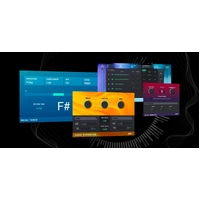
VEA increases clarity, sets more consistent levels, and reduces background noise on any voice recording. Perfect for podcasters and content creators.
Voice Enhancement Assistant
VEA is an AI audio enhancer that takes any voice recording and makes it more powerful, more polished, and more professional. This easy-to-use tool is perfect for podcasters and content creators of all skillsets, whether you’re a beginner or a seasoned pro.
Enjoy the sound of your own voice
VEA is an AI audio enhancer that takes any voice recording and makes it more powerful, more polished, and more professional. This easy-to-use tool is perfect for podcasters and content creators of all skillsets, whether you’re a beginner or a seasoned pro.
VEA Features
Built with industry-leading audio enhancement technology from RX, Ozone, and Nectar, VEA increases clarity, sets more consistent levels, and reduces background noise.
-
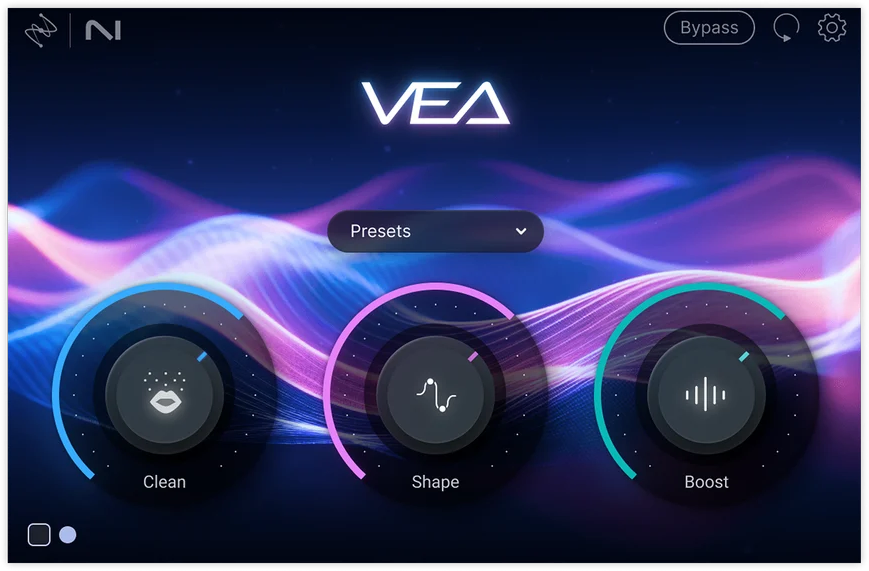
Shape
VEA’s Shape control is tailored to your voice, instantly making you sound more polished and professional. No more playing with equalizers or surfing presets to improve your voice mixing. Whether you're narrating a video or hosting an interview on your own podcast, VEA ensures your voice sounds audience-ready in seconds. -
Boost
Easily add presence and power to your voice with Boost. VEA takes the guesswork out of voice mixing. Don’t worry about understanding compression and limiting, just focus on sounding your best. For content producers, this means getting an even sound for your vlogs and tutorials to create a smoother and more engaging experience for your audience. -
Clean
VEA features essential noise reduction software that trims noise while leaving your voice sounding great. The Clean control helps de-noise your audio, taking background noise out of the spotlight so your voice can shine. Recording a vlog under the AC? Taking a virtual interview with signal interference? It’s no problem with VEA.
System Requirements
Operating Systems: Mac: macOS Sonoma (14.7.x), macOS Sequoia (15.7.x), macOS Tahoe (26.1.x) * Win: Windows 10, Windows 11* Supported on Intel Macs and Apple silicon M-series Macs (native and Rosetta)
Plug-in Formats: AU, AAX, VST3
Supported Hosts: DAWs/NLEsLogic Pro 10.7 – 11, Pro Tools 2025, Ableton Live 11 – 12, Cubase 14, Nuendo 14, Studio One 7, Reaper 7, FL Studio 25, Adobe Audition 2025, Adobe Premiere Pro 2025, DaVinci Resolve 19, Reason 13.
For more information, click here to visit the manufacturers website.