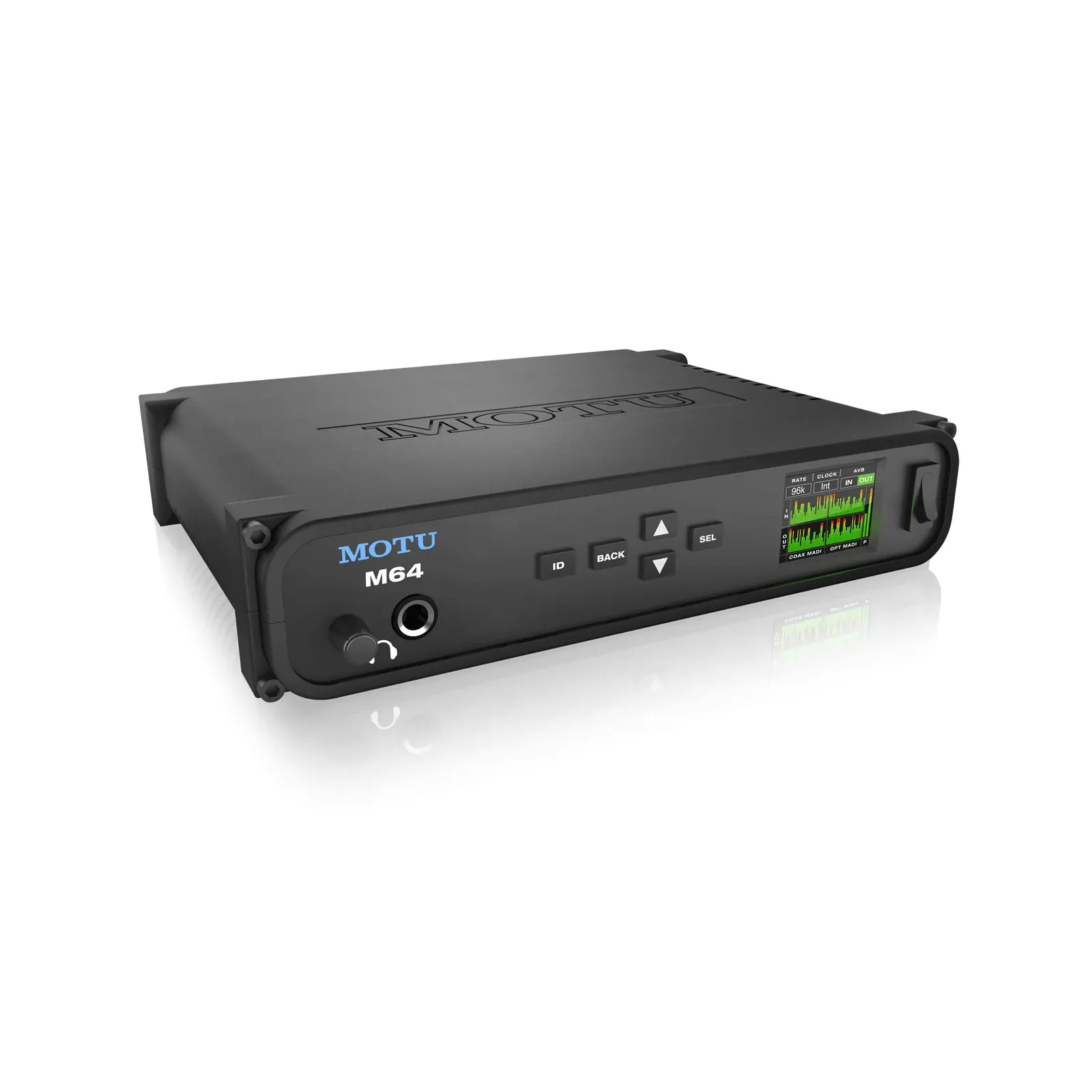
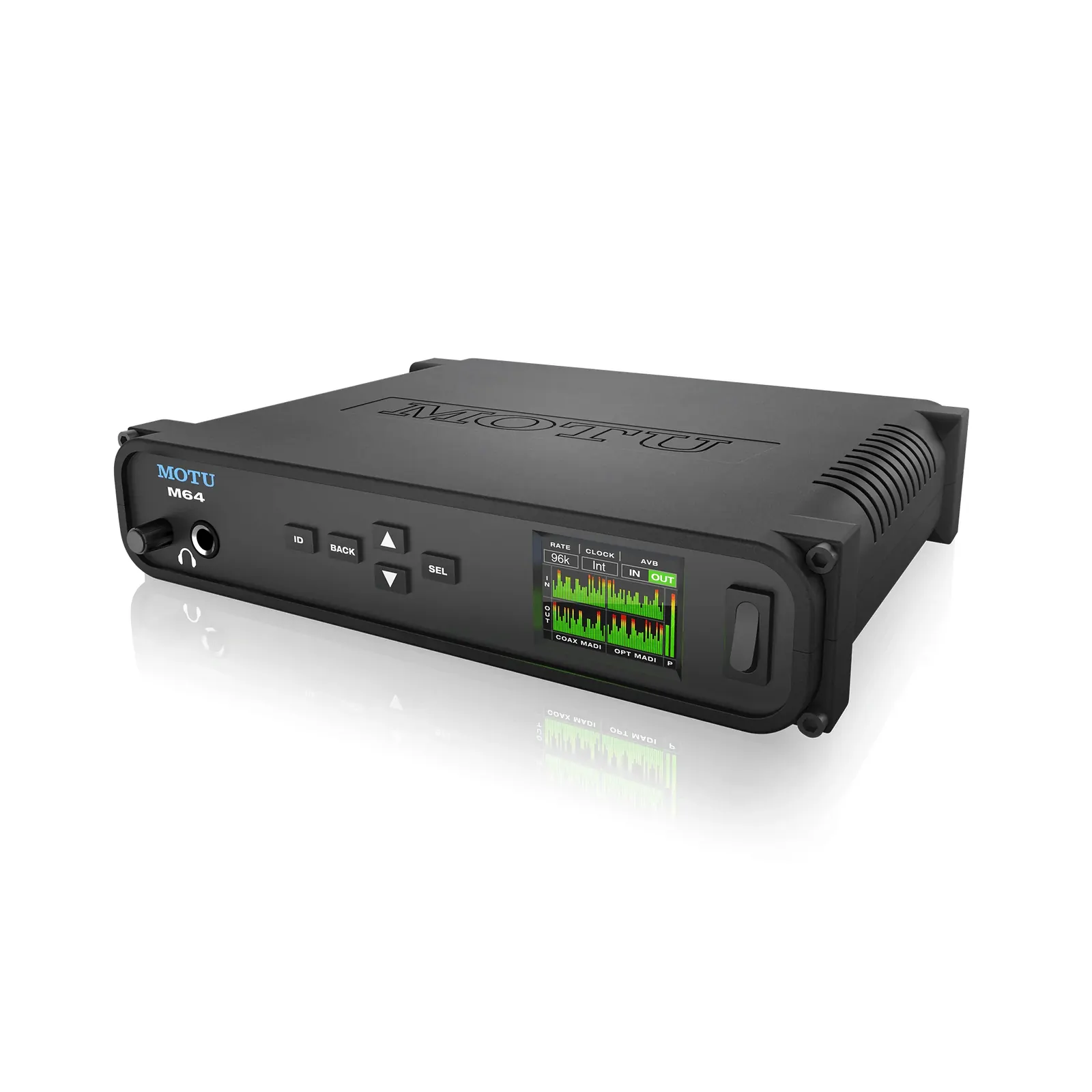
MOTU M64
MADI/USB/AVB Audio Interface



SKU: MOT-M64
Contact Us For Availability
This item is currently out of stock, click below to request an ETA, and we will be in touch soon.
 More info
Calculate Shipping
Free Shipping - $0.00
Shipping will be booked with the relevant carrier based on your location.
The MOTU M64 is a flexible MADI interface, router, repeater, splitter and converter with AVB-TSN networking, purpose-built for moving large MADI streams around studios, installations and live rigs. It connects to a Mac or PC over class-compliant USB 2.0 or to an AVB network over Ethernet, with ultra-low round-trip latency around 1.7 ms.
The M64 provides 64 channels of optical MADI and an independent 64 channels of coaxial BNC MADI — with a duplicate BNC output for splitting — for 256 total channels of I/O. Convert optical MADI to coax, route any input to any output, and bridge MADI to and from the computer and AVB network. Word clock I/O and a front-panel headphone output round out the connections.
A 32-bit floating-point DSP engine drives a 48-channel console-style mixer with 7 stereo aux busses, 3 groups and access to 64 network inputs, plus modeled British EQ, LA-2A-style compression and classic reverb. Control everything from the MOTU Pro Audio Control web app over Wi-Fi, run the M64 standalone, or join it side-by-side with another MOTU half-rack unit using the included bracket kit.
FEATURES
-
256 channels of MADI I/O
Optical MADI (64 channels in and out), plus independent coaxial/BNC MADI (64 channels in and out) with extra duplicate output, in all standard formats and sample rates. -
Flexible repeater, router, converter and splitter
Send any input to any output, or split to multiple output channels. Convert optical MADI to coax MADI. Includes routing to and from the computer, plus any devices on the AVB-TSN network. -
Stand-alone operation with wireless control
Connect a standard Wi-Fi router with a standard Ethernet cable for wireless control of device settings, routing/splitting, powerful 48-channel mixing and DSP effects. -
DSP mixing and effects processing
Flexible 48-input digital mixer with 7 stereo aux busses, 3 stereo groups, access to 64 network inputs, and DSP effects, including reverb, 4-band EQ, gate and compression. -
Ultra-low latency and proven, high-performance MOTU drivers
Universal connectivity over high-speed USB 2.0 (3.0 and iOS compatible) and AVB. Renowned drivers deliver industry-leading low latency and rock solid performance. -
Convenient headphone monitoring
Assignable front-panel headphone output with volume control allows for monitoring of any stereo channel pair. -
Word clock I/O
Standard word clock input and output for resolving to other digital audio gear or house sync. -
Comprehensive metering
The full-color LCD lets you view all signal activity at a glance with detailed metering for all I/O. Access hardware settings from a simple and convenient menu. -
Modeled vintage effects processing
Classic reverb. Compression modeled after the legendary LA-2A compressor. EQ modeled after British analog console EQs. -
Web app control from any device
Control everything from your favorite web browser on a laptop, tablet and smartphone connected to your local Wi-Fi network. -
System expansion
Add a 2nd MOTU AVB-equipped interface with a simple CAT-5e ethernet cable. Connect up to five MOTU interfaces using a MOTU AVB Switch (sold separately). -
AVB-TSN audio networking
Build a network with multiple interfaces and computers using standard AVB-TSN switches and network cabling, with ultra-low network latency, even over long cable runs (100 meters point to point). Stream hundreds of audio channels among devices and computers on the network. -
Audio analysis tools
includes a full-screen real-time FFT display, spectrogram “waterfall” display, full-featured oscilloscope, X-Y plot and phase analyzer. -
AudioDesk
Includes AudioDesk workstation software for Mac and Windows with 24-bit recording, sample-accurate editing and 32-bit mixing and mastering.
Introducing the MADI / USB / AVB-TSN Ethernet audio interface with DSP and mixing
The M64 is a flexible MADI interface, router, repeater, splitter, converter and mixer with AVB/TSN networking. It is ideal for routing MADI digital audio streams in live performance systems, network installations or recording studios of any size.
256 channels of MADI I/O
The M64 delivers optical MADI (64 channels in and out), plus independent coaxial MADI (64 channels in and out) with an extra duplicate BNC output, in all standard formats and sample rates.
High-performance computer connectivity
New, optimized drivers for both Mac and PC deliver ultra-low latency performance. With a high-performance DAW such as Digital Performer, the M64 delivers an astonishing round trip latency (RTL) of 1.70 ms (milliseconds) on OS X and 1.71 ms on Windows over USB (at 96 kHz with a 32-sample host buffer).
The ultimate MADI converter, router, splitter and repeater
Send any input to any output, or split to multiple output channels. Convert optical MADI to coaxial MADI. Route MADI streams to and from the computer, plus any devices on the AVB/TSN network.
DSP mixing and effects processing
The M64's 48-input digital mixer delivers 7 stereo aux busses, 3 groups, access to 64 network inputs, and DSP effects, including classic reverb, EQ modeled after British analog console EQs and compression modeled after the legendary LA-2A compressor. If you know your way around a large-format mixing console, you'll feel right at home. With 32-bit floating point processing, the M64's DSP engine delivers virtually unlimited headroom and the utmost in sound quality.
Stand-alone operation with wireless control
Connect an Apple® Airport™ or other Wi-Fi router with a standard Ethernet cable for wireless control of device settings, powerful 48-channel mixing and DSP effects.
Web app control from any device - Control everything from your laptop, tablet and smartphone
The software that you use to control the M64 doesn't reside on your hard drive. It's a web app served from the hardware itself. This means you can control the M64 on-board DSP, mixing, device settings, and network audio routing from your favorite web browser on a laptop, tablet or smartphone connected by wire or Wi-Fi to your local area network. Use any web client on any platform - Mac, Windows, Linux, iOS, Android - as long as it shares the same network.
Touch Console - The art of the mix on your touchscreen
Designed specifically for touchscreen operation, Touch Console™ delivers a whole new mixing experience. Access Touch Console from your tablet or smartphone to effortlessly control the powerful 48-channel mixer and effects in the M64. With large targets for your fingers, multi-touch operation and intuitive design, you can tap, swipe and pinch your way to a perfect mix, every time.
Comprehensive Metering
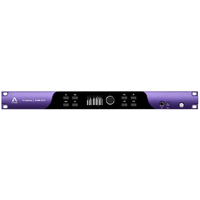
The full-color LCD lets you view all signal activity at a glance with detailed metering for all I/O. Access hardware settings from a simple and convenient menu.
Word Clock
Standard word clock input and output allows you to resolve the M64 to other digital audio gear or house sync.
Convenient headphone monitoring
Use the assignable front-panel headphone output with volume control to monitor any stereo channel pair.
Mix and match with other MOTU gear
An included mounting bracket kit joins the M64 side-by-side with any other MOTU half-rack unit to create a single rack-space configuration consisting of customized analog, digital and/or MIDI I/O configuration tailored just for you.
System expansion / networking
-
Add a 2nd MOTU AVB-equipped interface with a simple CAT-5e ethernet cable.
-
Connect up to five MOTU interfaces using a MOTU AVB/TSN Switch (sold separately).
-
Build a network with multiple interfaces and computers using standard AVB/TSN switches and network cabling, with ultra-low network latency, even over long cable runs (100 meters point to point). Stream hundreds of audio channels among devices and computers on the network.
Audio analysis tools
Analyze and scope your audio with advanced diagnostic tools, including a full-screen real-time FFT display, spectrogram "water- fall" display, full-featured oscillioscope, X-Y plot and phase analyzer.
AudioDesk
Includes AudioDesk workstation software for Mac and Windows with 24-bit recording, sample-accurate editing and 32-bit mixing and mastering
SPECIFICATIONS
Sample rates: 44.1, 48, 88.2, 96, 176.4, 192 kHz
Digital I/O:
-
1x BNC MADI in
-
2x BNC MADI out (mirrored)
-
1x optical MADI in/out
-
64/56 ch @ 1x, 32/28 @ 2x, 16/14 @ 4x
Total I/O:
-
128 in / 128 out (256 total) at 1x sample rates
-
64 in / 64 out (128 total) at 2x sample rates
-
32 in / 32 out (64 total) at 4x sample rates
Computer I/O: 1 x USB 2.0 audio class compliant (USB 3.0 and iOS compatible)
Computer I/O channels:
-
64 in/out at 1x (44.1 to 48 kHz)
-
32 in/out at 2x (88.2 to 96 kHz)
-
24 in/out at 4x (176.4 to 192 kHz)
Headphone: 1 x 1/4" TRS stereo phone (assignable)
Network I/O: 1 x RJ45 AVB/TSN Ethernet (1 Gbps)
AVB streams (8 channels per stream):
-
8 in / 8 out @ 44.1 or 48 kHz
-
8 in / 8 out @ 88.2 or 96 kHz
-
4 in / 4 out @ 176.4 or 192 kHz
Front panel:
-
1 x 1/4" TRS headphone output
-
4x switches for menu navigation
-
160 x 128 RGB LCD for level meters / menu
Power:
-
External 12-18V DC power supply
-
1.0A max • tip pos or neg
Dimensions and weight (width x depth x height, enclosure only):
-
8.6 x 7 x 1.75 inches / 22 x 17.75 x 4.5 cm
-
2.0 lbs / 0.9 kg
Mac System Requirements:
-
Intel Core i3 Mac or faster (including the new Apple silicon Macs)
-
2 GB RAM; 4 GB or more recommended
-
Mac OS X version 10.8 or later
-
Available USB 2.0 or 3.0 port
-
A large hard drive (at least 500 GB for recording)
Windows System Requirements:
-
1 GHz Pentium-based PC compatible or faster
-
2 GB RAM; 4 GB or more recommended
-
Windows 7*, 8 or 10
-
Available USB 2.0 or 3.0 port
-
A large hard drive (at least 500 GB for recording)
Web App Support:
-
Any web client platform: Mac, Windows, Linux, iOS, Android
-
Any web browser: Safari, Firefox, Chrome, Opera, Explorer, etc.
Included Software:
-
MOTU Discovery App for Mac & PC (finds connected MOTU interfaces)
-
MOTU Discovery App for iOS (available from Apple App Store)
-
MOTU Pro Audio Control web app (served from the hardware itself)
-
MOTU Audio Tools (FFT, oscilloscope, X-Y plot, phase analyzer)
-
AudioDesk 4.0 for Mac & PC (separate download)
Operating Systems
For computer audio I/O: Mac OS X 10.8 or later; Windows 7* or later
For web app control: Mac, Windows, Linux, iOS, Android