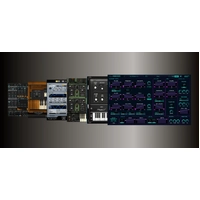
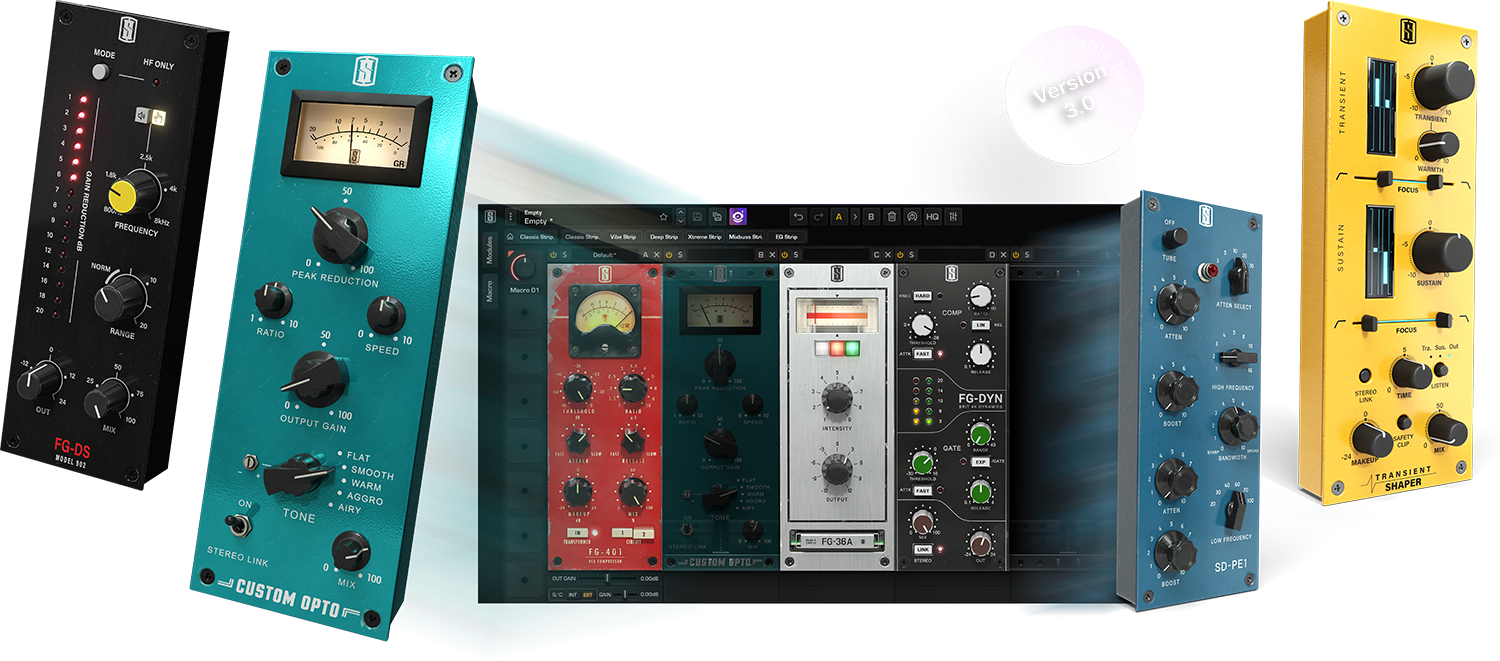
Slate Digital VMR 3.0 Virtual Mix Rack
Analog Channel Strip Plug-In

 More info
Calculate Shipping
Digital Delivery - $0.00
Activation codes will be sent via email before close of business on the following business day, Monday through Friday.
Please note: All Slate Digital and Steven Slate Drums software products require an iLok account and a physical iLok 2 or 3 USB dongle for licensing.
Click here to purchase an iLok.
***All activation codes will be sent via email within 8 hours, 7 days a week. Unfortunately incorrectly ordered software licenses cannot be refunded or returned***
The Ultimate Analog Channel Strip
Preset Browser
The main feature of VMR 3.0 is the new preset library and browser. It aims to close the gap with Waves Studioverse which is an online and growing collection of preset effect chains—since VMR is a plug-in that already hosts chains of effect modules, we only need to provide a graphical browser to close the feature-gap. The Preset Browser is more than just a list of preset names. Now there is a preview of all the modules in the chain, filtering for the type of instruments, and expanded text descriptions of the purpose of the preset and who made it. Because the Preset Browser runs in the browser, we can constantly update the presets, deploying new presets at any time without needing to build a new version of VMR that users have to download and install. By creating new presets, we also get to expand the collection to use all of the newer modules available in VMR rather than just the older modules featured in the VMR 2.x presets.
Macro Controls
In order to help users hit the ground running with the new presets (and to ease the use of effect chains users may make themselves), VMR 3.0 will now have a strip of Macro Controls. These controls allow for multiple controls across multiple effect modules to be tweaked simultaneously. So instead of a user having to explore an entire effect chain and decipher which controls they should be changing for a desired effect or impact, the important controls can be consolidated as Macros. All of the new presets included in the Preset Browser will be made with pre-mapped Macros so that the user can just immediately start tweaking the Macros to experience the preset chain as intended. For example, on a vocal chain, there might be a Macro called “Clarity” which controls various compressor and EQ parameters simultaneously to improve the high-frequency clarity of a vocal. The user doesn’t have to figure out which combinations of controls need to be tweaked to achieve vocal clarity—instead, they can learn it by watching which controls move as they tweak the “Clarity” macro knob. The Macro control system is extremely deep and flexible. Multiple effect controls can be mapped to a knob, and those controls can have unique ranges and control curves—it’s possible for some effect controls to turn up while others turn down just by rotating a single Macro control. It puts lots of power and flexibility at the hands of the preset designers. This feature is also intended to help close the gap with Waves Studioverse which also provides up to 8 Macros for each of the presets that get loaded.
Sidechain Input
VMR includes immaculate emulations of classic dynamics processors but has lacked the ability to control these processors via a side-chain input despite being requested for years. VMR 3.0 now supports a side-chain input, allowing the user to route a channel from their DAW into the sidechain to control the dynamics processor independently from the main audio signal (the compressor on a bass guitar can be controlled by the kick drum fed into the side-chain, for example). As there is only one side-chain input supported by VST, VST3, AU, and AAX plug-ins, VMR will have selector buttons to choose which modules in the rack should listen to the side-chain input; it’s therefore possible for multiple devices in the rack to be controlled by the same side-chain signal simultaneously. Multiple effect controls can be mapped to a knob, and those controls can have unique ranges and control curves, making it possible to turn some parameters up and others down with a single twist of a knob.
Module Output Gain Trims
Virtual Mix Rack now supports a sidechain input, so you can route a channel from their DAW into the sidechain to control the dynamics processor independently from the main audio signal. Each module also now has a slider below it for controlling its output gain, thus allowing the user greater gain-staging control between modules, as not all modules have an input or output control of their own.
Upscaled GUI Scaling
Each module now has a slider below it for controlling its output gain, thus allowing the user greater gain-staging control between modules (as not all modules have an input or output control of their own). In 3.0, VMR now has the ability to rescale the entire user interface so that it better fits a particular user’s display size and configuration. This done via an options menu where the user can select from a number of pre-determined zoom factors (the plug-in cannot be smoothly resized to any resolution in the way Infinity EQ 2 can).
Plug-in Interface Scaling
Due to the inconsistent way Windows handles screen zoom in combination with the ever-growing size and resolution of modern computer displays, a frequent criticism of VMR has been that it can appear too small or too large on some displays. VMR 3.0 now adds the ability to rescale the entire user interface so that it better fits a particular user’s display size and configuration. This done via an options menu where the user can select from a number of pre-determined zoom factors (the plug-in cannot be smoothly resized to any resolution in the way Infinity EQ 2 can).
System Requirements:
Mac
Versions: macOS 10.15 or later (macOS 11 or later rec.)
Memory: 4 GB
CPU: Intel Core 2 Duo or higher
Plugins: VST-2, VST-3, AU, AAX
Windows
Processors: Windows Intel or AMD Processor
Memory: 4 GB
CPU: Intel Core 2 Duo / AMD Athlon 64 X2 or higher
Plugins: VST-2, VST-3, AAX
For more information, click here to visit the manufacturers website.