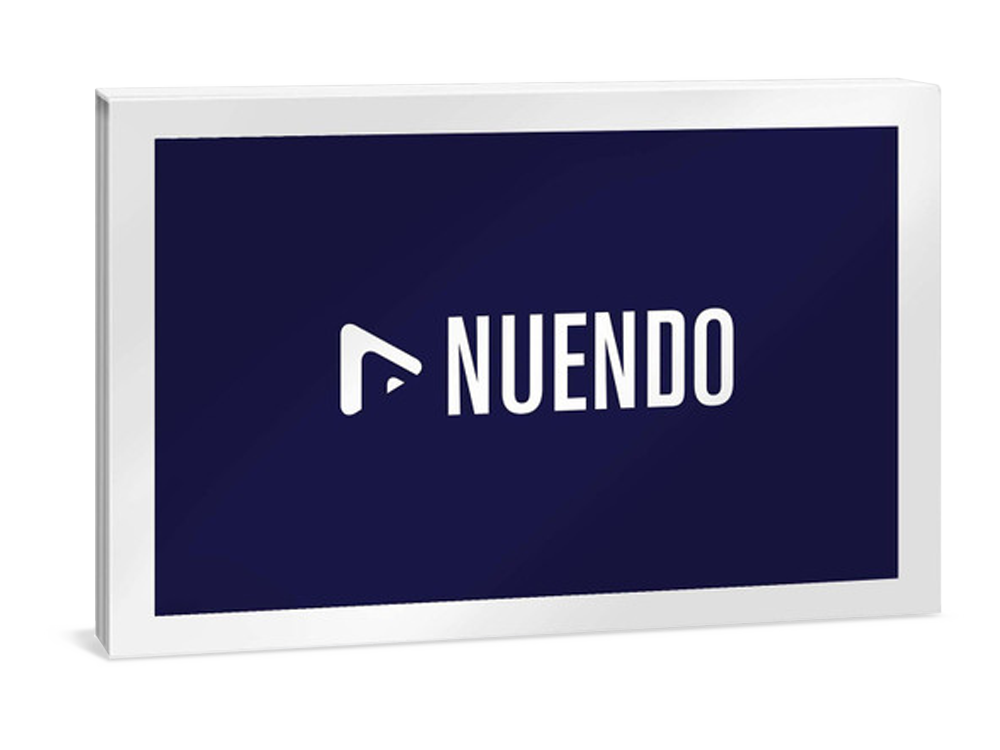
Steinberg Nuendo 15 Education
Digital Download

 More info
Calculate Shipping
Digital Delivery - $0.00
Activation codes will be sent via email before close of business on the following business day, Monday through Friday.
***All activation codes will be sent via email within 8 hours, 7 days a week. Unfortunately incorrectly ordered software licenses cannot be refunded or returned***
Please note: This is an Education edition of Nuendo 15. Education software editions require eligibility verification before you can register your license. Please read this article before purchasing if you're not sure.
What Is Nuendo
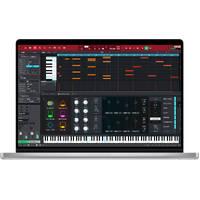
As the most advanced audio post-production solution available, Nuendo is the choice of film, TV, game audio and immersive sound industry professionals worldwide. Ever since its initial release, Nuendo has been a vital tool in creating the soundtrack to many high-profile productions, products and installations. Regular updates with new features, workflow improvements and additional, user-requested functions mean that Nuendo constantly exceeds the expectations of an audio workstation dedicated to audio post, with high end — often unique — capabilities that continue an ongoing revolution in audio and media production software.
New in Nuendo 15
The next evolution in audio post-production
Introducing offline dialogue intelligibility metering, an enhanced automation system, MXF video import, simplified channel conversion, and additional video export options, Nuendo 15 delivers the next evolution in audio post-production. Its many workflow improvements for accurate dialogue editing, efficient mixing, and smoother session management help audio professionals work with greater consistency and speed.
Highlights
Enhanced Automation System
Nuendo’s renowned film‑mixing automation system has been significantly enhanced. The Automation panel offers a new compact view with a vertical, space‑saving layout that can also be docked to the right zone of the MixConsole or Project window. Then there’s the automation system that introduces several new functions, including Parameter Selection by touching controls in plug-ins, copy/paste automation, individual track punch out in Latch Mode, clearer visual automation states, and a Write on Play mode with proper Preview indication while adjusting parameters.
Analyzer Track
The Analyzer Track is an industry‑first solution for precisely measuring and displaying dialogue‑intelligibility metering in-place. Based on Fraunhofer IDMT technology, this expansion of the Loudness Track offers accurate visual feedback, displaying intelligibility as green/yellow/red blocks for immediate identification of problem areas and fast navigation to critical moments. Real‑time or offline analysis can be performed between locators, with momentary and average values shown on the Master Meter, and the Dialogue Intelligibility Unit thresholds are fully adjustable, enabling alignment with broadcaster specs and ensuring that mix decisions translate reliably.
Convert Channels
This long-requested feature simplifies multichannel work by automatically splitting or merging files to match a selected track layout. You can quickly break down surround clips into structured stems or combine mono files into stereo pairs — across multiple tracks or during import. By managing file creation, channel routing, and clip placement, the convert channels capability reduces repetitive setup tasks, streamlines session preparation, and saves valuable time.
Video Export Improvements
Nuendo’s video export function now provides flexible resolution and encoding options, allowing you to choose from a range of presets, as well as software or GPU encoding. It also supports text overlays from the active marker track, allowing timecode, dialogue, and other ADR attributes to be burned into the exported video exactly as defined in the ADR settings.
MXF Video Support
This new capability brings an important advancement to broadcast and post‑production workflows by enabling direct import of MXF video and audio tracks from OP1a containers. It offers immediate compatibility with AVC Intra 50/100/200 and MPEG 2 codecs, streamlining collaboration with industry-standard delivery pipelines. Additional formats will be supported in future updates to further expand its flexibility.
Workflow and Productivity
New Group Channel for Folder Tracks
Any Folder Track can now be assigned its own group channel. Tracks placed within the folder are automatically routed to their corresponding bus, clearly organized, and immediately prepared for complex mix structures.
Redesigned ADR Panel
The Marker Editor’s value fields have been reorganized to provide a clearer structure and a more streamlined visual layout.
WaveLab Go
Built on WaveLab Pro’s renowned technology, this new ARA extension delivers advanced editing, repair, and analysis tools, bringing mastering-grade precision directly into modern production workflows.
SpectraLayers Go
An evolution of SpectraLayers One, this new iteration delivers a streamlined workflow, an enhanced user interface, upgraded toolsets, and next-generation AI-driven processes for cleaner separations and more accurate spectral operations.
New Sound Design Tools
UltraShaper
This new compressor combines transient shaping, clip limiting, and EQ sculpting, delivering precise, controlled dynamics processing suitable for subtle refinement or bold sound design work.
PitchShifter
Real‑time pitch shifting with formant preservation, saturation modes, stereo unlinking, and a ±24‑semitone range supports both creative transformations and corrective dialogue or effects work.
Modulators
Six new modulators — including Random Generator, Sample & Hold, and Wavefold LFO — add motion, variation, and evolving textures for more expressive and dynamic sound design workflows.
Sampler Track
The Sampler Track now enables instant sample replacement via MediaBay Hot Swap, with improved filtering that speeds up selection, auditioning, and rapid sound design iteration.
Music Features
Omnivocal
Synthesized vocals with a natural character extend the possibilities of vocal design, temp dialogue, and experimental applications. A streamlined interface supports quick and expressive results.
Pattern Sequencer
Create expressive melodic patterns using the monophonic and polyphonic modes, step input, custom scales, shape generators, and a deep randomizer — all within the Pattern Editor and suitable for tonal design, rhythmic motifs, or sketch material.
Expression Maps
The redesigned Expression Maps system refines articulation control with a streamlined setup, per-articulation attack compensation, and deep integration with both the Key Editor and Score Editor, supporting detailed performance and playback programming.
HALion Libraries
A new collection of production-ready vintage synth sounds offers a broad selection of leads, basses, and pads, providing tonal source material for design work, temp scoring, and hybrid audio projects.
Stem Separation
Stems can be extracted from mixed audio using AI-powered separation tools — well suited for vocal isolation, rebalancing, and creative reworking of existing material.
Drum Machine
A collection of 40 modern drum kits delivers a wide range of percussive material that can be repurposed for rhythmic design, impacts, and layered transient elements.
Chord Pads
Thirty new Chord Pad presets present ready-to-use harmonic structures that can serve as tonal references, sustained beds, or compositional placeholders within larger projects.
Groove Agent SE 6
The redesigned Groove Agent SE features a scalable interface, a new mixer, and enhanced effects, supporting efficient creation and refinement of rhythmic material.
Sounds and Loops
Genre-spanning loop packs and curated samples provide fast access to structured musical and rhythmic material for temp use, experimentation, or creative development.
Pattern Presets
New pattern presets cover basslines, leads, chords, and arpeggios, offering structured pattern material that can support sketching, temp work, or rhythmic experimentation.
Refined Notation
The updated Score Editor introduces new tools and enhanced workflows that support clearer, more efficient notation tasks when needed.
Additional Improvements
Headphones Match
New and updated compensation curves are available for headphone models from Audeze, Audio‑Technica, Beyerdynamic, Fiio, Sennheiser, Shure, and others.
Volume and Pan Track Controls
Volume and pan controls are available directly within the track controls area, with customizable layouts per track type for improved clarity in dense sessions.
MPEG-H import formats
Support for MPF and MXF/S ADM imports brings full scene metadata into the session. Scene templates allow importing static scene descriptions without audio.
Plug-in GUI Scaling
All stock effect plug-ins include user-adjustable interface scaling, supporting both large-screen and compact workflows without compromising clarity.
New Hub
Start any working session comfortably with the new Hub, featuring resizable panels, project previews, and enhanced search and filtering options that make finding the right version of your project fast and intuitive.
DAWproject
The DAWproject format offers expanded interoperability, allowing projects to move between Nuendo, Cubase, Cubasis, and other supported DAWs while maintaining structure and intent.
MixConsole
Nuendo supports native full-screen mode on macOS, enabling immersive editing and mixing across Project and MixConsole windows.
Quick Export
Quick export options streamline audio rendering, supporting faster previews and intermediate deliverables during active sessions.
Pinch to Zoom
Pinch-to-zoom gestures on compatible macOS devices support smooth navigation and precise timeline control.
SPECIFICATIONS
Overview
Audio engine: 64 bit
Audio resolution: 384 kHz
MIDI tracks: unlimited
Audio tracks: unlimited
VST Instrument tracks: unlimited
Virtual Instruments & Libraries: 11
Instrument sounds: > 3000
VST audio effect plug-ins: 102
VST MIDI effect plug-ins: 18
Physical inputs & outputs: 256
Audiochannel insert slots: 16
Group channels: 256
FX send and return channels: S:8 - R:64
Rack instruments: 64
MIDI plug-in insert slots & sends: 4
Post Production
ADM Authoring for Dolby Atmos: Yes
External Dolby Atmos Renderer Support: Yes
Renderer for Dolby Atmos: Yes
Maximal number of Audio Object: 118
Maximal number of Beds: 64
ADM import: Yes
ADM Export: Yes
Field Recorder Audio Import: Yes
Analyzer Track: Yes
Netflix Loudness Meter: Yes
Intelligibility Meter: Yes
Video Cut Detection: Yes
ReConforming: Yes
Loudness curve: Yes
Create Markers from Events: Yes
Anymix Pro: Yes
Post Presets: Yes
MXF (audio) support: Yes
MXF video support: Yes
AES31 support: Yes
Auro-3D support: Yes
Bass Manager: Yes
Post Filter: Yes
Pitch Driver: Yes
Clip Packages: Yes
Cue Sheet export: Yes
AAF support: Yes
VST MultiPanner: Yes
Direct Offline Processing: Yes
Loudness measurement and processing: Yes
Video Follows Edit Mode: Yes
Film-mixing style automation: Advanced
Channel Batch Export: Advanced
Marker Track: 32
Control Room Monitor Sources: 8
Game Audio
Game Audio Connect: Yes
Game Sound FX: Yes
Create a Nuendo project from Wwise: Yes
Recall a Nuendo project from Wwise: Yes
Version control by Perforce: Yes
Export Selected Events: Yes
Rename events from list: Yes
Virtual Reality
Ambisonics support: Yes
Panning audio in Ambisonics: Yes
Immerse with VST AmbiDecoder support: Yes
Headtracking: HMD connection: Yes
Monitoring Ambisonics Audio: Yes
dearVR Spatial Connect support: Yes
Sound Design
Pro Sound Effects Library: Yes
Doppler effect plug-in: Yes
VoiceDesigner: Yes
Sound Randomizer: Yes
Soundly Support: Yes
Modulators: Yes
Sampler Track 2: Yes
Vocoder: Yes
Dialogue Recording
Automated Dialog Replacement (ADR) system: Yes
ADR Script Reader: Yes
Dialogue Transcription: Yes
Video overlay, take lists and script editing: Yes
Countdown and swipes: Yes
ADR API: Yes
CSV import: Yes
EdiCue Support: Yes
TTAL import / export: Yes
Free mode: Yes
Foley recording: Yes
Dialogue Editing
Dialogue Detection: Yes
VocalChain: Yes
Auto-Align® Post support: Yes
Detect Silence: Yes
Free Warp tool: Yes
Audio Parts: Yes
Sample Editor: Yes
SpectraLayers One: Yes
Hitpoint Detection: Yes
Group/Ungroup & Lock/Unlock: Yes
Render in-place: Yes
VariAudio 3: Yes
Audio Alignment: Yes
Audio Warp Quantize: Yes
Time Stretch: Yes
Group Editing: Yes
Comping: Yes
Mixing
Adaptive Background Attenuation: Yes
Channel Strip 2: Advanced
Full-screen MixConsole: Yes
Sound Particles OSC Control support: Yes
Ultra-precise automation curves: Yes
Side-chaining: Yes
A/B Comparison: Yes
MixConsole History: Yes
Track visibility management: Yes
Spectral Comparison EQ: Yes
Automation Virgin Territories: Yes
MixConsole Snapshots: Yes
Control Room incl. Cue Sends: Yes
Direct Routing: Yes
Loudness Meter: Yes
Link Groups: Yes
Listen Mode: Yes
Multi-channel true peak master meter: Yes
Stereo Combined Panner: Yes
Surround: True Multichannel Audio Path (max. 5.1): up to 22.2
VCA Faders: Yes
Wave Meters: Yes
General
Convert Channels: Yes
Stem Separation: Yes
MIDI Remote: Yes
Job Queues: Yes
SuperVision: Yes
Colorized Mixer Channels: Yes
Latency Monitor: Yes
Notepad: Yes
MediaBay: Yes
HiDPI support: Yes
Disabling Tracks: Yes
Softube Console 1 support: Yes
Combined Select Tools: Yes
WaveLab file exchange: Yes
Track Icons: Yes
Safe Start Mode: Yes
Workspaces: Yes
Import Tracks from Projects: Yes
Project Logical Editor: Yes
VST System Link: Yes
Track Archives: Yes
ARA 2 support: Yes
OMF support: Yes
Profiles: Yes
Composing
Drum Track: Yes
Pattern Sequencer: Yes
Chord Pads: Yes
Chord Track: Yes
Chord Assistant - Circle of 5ths: Yes
Audio to MIDI chords: Yes
Hermode tuning: Yes
Arranger Track: Yes
Tempo Track: Yes
Signature Track: Yes
TrackVersions: Yes
Global Transpose Track: Yes
Note Expression: Yes
Chord Assistant - Proximity Mode: Yes
Expression Maps: Yes
Iconica Sketch for HALion Sonic: Yes
Dorico / MusicXML Import & Export: Yes
Time Warp: Yes
Key Editor: Yes
Drum Editor: Yes
MPE Support: Yes
Chord Editor: Yes
Drum Maps: Yes
List Editor: Yes
In-Place Editor: Yes
Track Quick Controls: Yes
Tempo Detection Panel: Yes
Logical Editor: Yes
Recording
Audio Pre-Record: Yes
MIDI Retrospective Record: Yes
Punch In & Punch Out: Yes
Re-recording: Yes
Metronome: Advanced
Pre-Roll & Post-Roll: Yes
Pool: Yes
Virtual instruments
HALion Sonic SE 3: Pro / Artist / Basic Set
Groove Agent SE: Yes
Retrologue 2: Yes
Padshop 2: Yes
Omnivocal Beta: Yes
Trip for HALion Sonic: Yes
Flux for HALion Sonic: Yes
Effects
Randomizer: Yes
VoiceDesigner: Yes
Doppler: Yes
Headphones Match: Yes
FX Modulator: Yes
Pitch Driver: Yes
Bass Manager: Yes
Post Filter: Yes
DJ EQ: Yes
Standard Channel EQ: Yes
StudioEQ: Yes
GEQ 10: Yes
Frequency EQ 2: Yes
GEQ 30: Yes
Voxengo CurveEQ: Yes
UltraShaper: Yes
Volume: Yes
Black Valve: Yes
VoxComp: Yes
Raiser: Yes
Squasher: Yes
VST Dynamics: Yes
Limiter: Yes
Brickwall Limiter: Yes
Envelope Shaper: Yes
Gate: Yes
Maximizer: Yes
Tube Compressor: Yes
Vintage Compressor: Yes
Midi Gate: Yes
De Esser: Yes
Expander: Yes
Multiband Compressor: Yes
Multiband Envelope Shaper: Yes
Multiband Expander: Yes
Roomworks SE: Yes
REVelation: Yes
REVerence: Yes
Roomworks: Yes
Studio Delay: Yes
MonoDelay: Yes
MultiTap Delay: Yes
PingPongDelay: Yes
StereoDelay: Yes
ModMachine: Yes
AmpSimulator: Yes
BitCrusher: Yes
Da Tube: Yes
Distortion: Yes
Grungelizer: Yes
VST Amp Rack: Yes
Channel Tape Saturation: Yes
Channel Tube Saturation: Yes
Quadrafuzz 2: Yes
Magneto 2: Yes
VST Bass Amp Rack: Yes
Distroyer: Yes
SoftClipper: Yes
Shimmer: Yes
Metalizer: Yes
Ring Modulator: Yes
AutoPan: Yes
Chopper: Yes
Chorus: Yes
Flanger: Yes
Phaser: Yes
Tranceformer: Yes
Tremolo: Yes
Vibrato: Yes
Rotary: Yes
LoopMash FX: Yes
Cloner: Yes
Studio Chorus: Yes
Underwater: Yes
Auto Filter: Yes
DualFilter: Yes
ToneBooster: Yes
Wah Wah: Yes
StepFilter: Yes
MorphFilter: Yes
Pitch Shifter: Yes
Octaver: Yes
Pitch Correct: Yes
Anymix Pro: Yes
VST MultiPanner: Yes
MonoToStereo: Yes
StereoEnhancer: Yes
Mix6to2: Yes
Tuner: Yes
Lin One Dither: Yes
MixerDelay: Yes
SMPTEGenerator: Yes
TestGenerator: Yes
Vocoder: Yes
EQ-M5: Yes
EQ-P1A: Yes
Collaboration
Network collaboration features: Yes
VST Connect SE 5: Yes
Video
Video Import: Yes
Video Player: Yes
Extract Audio from Video: Yes
Video Export Render: Yes
TrackVersions: Yes
MXF video support: Yes
System Requirements
Operating systems (Windows): 64-bit Windows 10 Version 22H2 (or higher), 64-bit Windows 11 Version 24H2 (or higher)
Operating systems (Mac): macOS Sonoma, macOS Sequoia, macOS Tahoe
Apple silicon–based Mac: Native App, Rosetta 2 App
CPU minimum (Windows): Intel® Core i5™ (8th Generation) or AMD Ryzen™ Series-3000 or Windows on Arm processor
CPU minimum (Mac): Intel® Core™ i5 (late 2018 or later) or Apple silicon
CPU cores: 4 or more
RAM minimum: 8 GB
Hard disk free space: 100 GB
Display resolution minimum at 100% UI scaling: 1440 x 900
Graphics minimum (Windows): Graphics card with native Windows 10 support
Graphics recommended (Windows): AMD R or RX series and later or NVIDIA Series 700 and later
Graphics (Mac): Graphics card with Metal support
Internet connection for: license activation, account sign up and product registration, installer download
Notes: VST 2 is not officially supported. VST 2 plug-ins may be loaded (excluding on Native Apple Silicon) when the VST 2 plug-in scanner is enabled in the VST Plug-in Manager. However, Steinberg does not provide support for any issues related to VST 2.
For more information, click here to visit the manufacturers website.