Steinberg Padshop 2
Digital Download

 More info
Calculate Shipping
Digital Delivery - $0.00
Activation codes will be sent via email before close of business on the following business day, Monday through Friday.
***All activation codes will be sent via email within 8 hours, 7 days a week. Unfortunately incorrectly ordered software licenses cannot be refunded or returned***
Explore a whole new microcosmos of sound
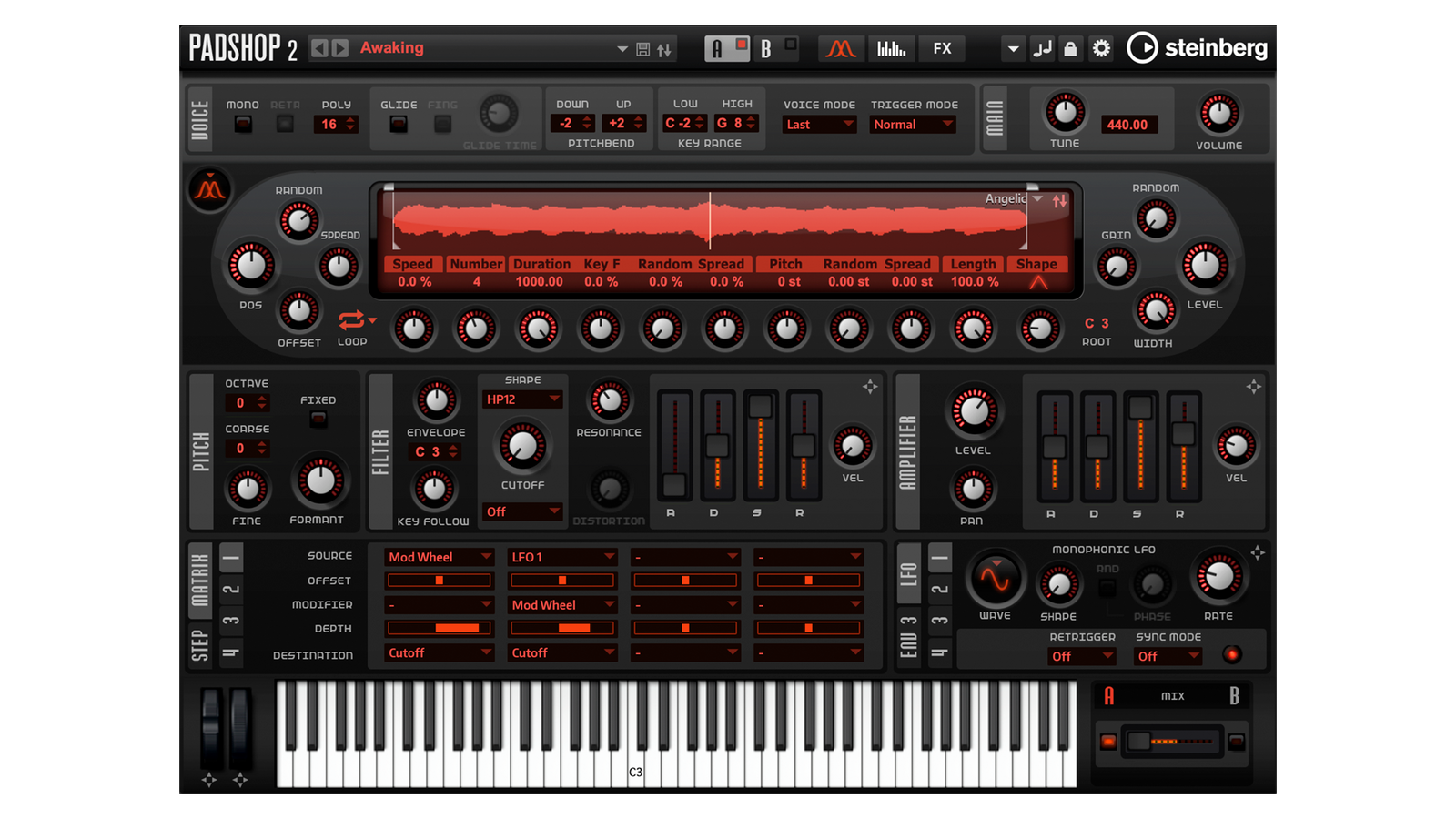
At the heart of this synth are two co-existing sound engines — granular and spectral oscillator — which could not be more different, but united in allowing you to work with samples at a new microcosmic level. You can edit the smallest bits, grains and building blocks, morphing them into completely new, previously unheard synth sounds. They will change how you work with samples forever.
FEATURES
-
More than 570 outstanding presets
-
Import, redesign and synthesize your own samples
-
Get creative with 570 pre-produced samples
-
Plug-in works with VST, AU and AAX
Fast sound design workflow
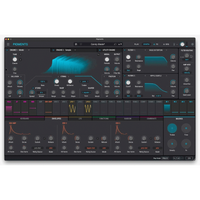
You can instantly switch between Padshop 2’s synth, arpeggiator and effects section.
Layer two different sounds in parallel
You can layer and blend two different sounds. And the best thing is that each of these sounds can be designed with dedicated filters, LFOs, effects and arpeggios... using the spectral and/or granular oscillator. For example, you can enrich your sounds by doubling them or combining a pad with arpeggio.
Granular or spectral?
Choose between the granular and spectral oscillators to get really creative with samples. While the granular oscillator easily brings out moving textures; the spectral oscillator shines with its more direct sound-shaping options.
Work with your own samples
Import your own samples or choose one of more than 570 exclusively recorded boutique samples to inspire your imagination... and then transform it into something completely new.
Modulate your sound
The Mod Matrix is where you can get creative in terms of sound design and control, with its 16 freely assignable modulation rows. Connect any of the 39 sources with one of the 63 destinations to explore almost infinite possibilities.
New in Padshop 2
-
Second synth engine: Spectral Oscillator
-
100 new presets and samples
-
New arpeggiator, filters and effects
-
New enhanced modulation section
Awesome second synth engine
We’ve doubled the power of Padshop with a second great sound-generating engine; the Spectral Oscillator. Play any sample at any speed, at any position, in either direction and at any pitch. Thanks to a completely new algorithm, you can express your creativity more freely than ever before.
Sound design with purity and inharmonicity
Push the character of a sound into a very pure and harmonic direction or give the noisy and gritty part of the sonic spectrum much more weight. With the Purity and Inharmonicity parameters, you can easily shape the sound of your sample within the Spectral Oscillator into something with more texture and character. There is also a new low-cut filter that works completely in the spectral domain.
Refreshed design
The new design makes you feel at home from the first moment you open the new Padshop. The new design creates a consistent experience within our range of synthesizers. Its separate synth, arp and FX pages making it much easier for you to find the right places to create awesome sounds.
Switch oscillators
Choose between the Granular and the Spectral Oscillator as your sound generating source. You can choose the oscillator type for each layer.
Import your samples from anywhere
Importing your own samples — a feature previously only available in Padshop Pro — is now accessible to everyone. At the request of sound designers, samples can now be kept at their original folders. Everybody who works with a huge collection of samples will love that!
12 new filter shapes
You can’t get enough filters for sound design! The new Padshop comes with 12 additional filter shapes for High-Pass, Low-Pass and Bandpass, now giving you a total of 24.
Drag and drop modulation
You can now simply drag and drop the modulation sources on the desired destinations. When you start dragging, the available destinations turn green, making Padshop much more convenient and even more fun to play around with.
Two new polyphonic LFOs
Create deeply growling or vibrant sounds with the two new polyphonic LFOs. They have the same feature set as the two monophonic LFOs, but are calculated per voice and also feature fade-ins with adjustable time.
New envelope
In addition to the amp and filter envelopes, you can now work with the new Envelope 3, allowing you to design unique sounds. This envelope is bipolar and has freely adjustable levels, making it ideal for modulating destinations like pitch or pan.
Create musical patterns and melodies
The new arpeggiator makes creating musical patterns in Padshop a lot of fun. Just draw in individual steps, connect them with legato or adjust the pitch of each step to create melodies. You can even export the pattern to your DAW for further use.
New effects
In addition to chorus, flanger and delay there is a new EQ with four bands, an ensemble and a phaser effect. All effects can now be tweaked on an extra page for each layer, creating even more individual sound design options. At the end of the signal chain there is the global reverb, which also has new additions like chorus, making it richer than ever.
Boutique sample material and 100 new presets
You can work with samples of hardware synthesizers, unique soundscapes and even a prepared grand piano. All of these sounds are just waiting for you to morph them into your own ideas. These unconventional and fascinating sounds were also the source for 100 new, exclusively designed presets.
System Requirements
Operating systems (Windows): Windows 10 (64-bit), 64-bit Windows 11 Version 21H2 (or higher)
Operating systems (Mac): macOS Mojave, macOS Catalina, macOS Big Sur, macOS Monterey, macOS Ventura, macOS Sonoma, macOS Sequoia, macOS Tahoe
Apple silicon–based Mac: Native App
PlugIn format (Win): VST 3, AAX
PlugIn format (Mac): VST 3, AU, AAX
CPU minimum (Windows): 64-bit Intel or AMD multi-core
RAM minimum: 8 GB
Hard disk free space: 1 GB
Internet connection for: License activation, installer download, account sign up and product registration
For more information, click here to visit the manufacturers website.