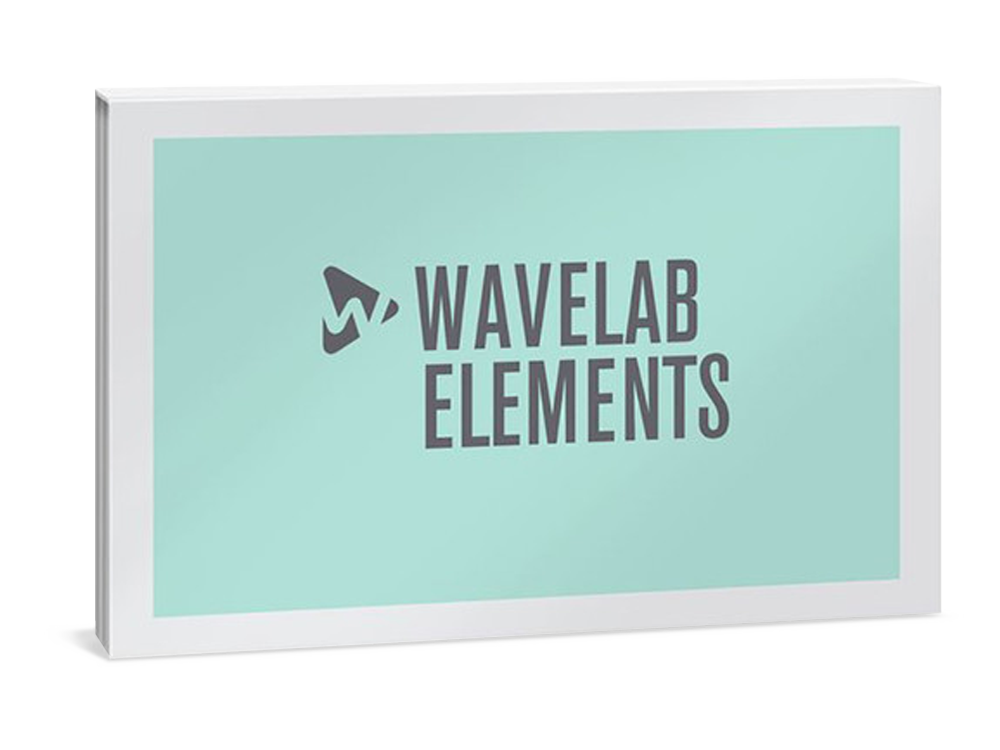
Steinberg WaveLab Elements 13
Digital Download

 More info
Calculate Shipping
Digital Delivery - $0.00
Activation codes will be sent via email before close of business on the following business day, Monday through Friday.
***All activation codes will be sent via email within 8 hours, 7 days a week. Unfortunately incorrectly ordered software licenses cannot be refunded or returned***
The First Choice For Aspiring Musicians
An ideal complement to any DAW, WaveLab Elements is the right choice for aspiring musicians and sound designers who want to improve their mixes quickly and get great results. WaveLab Elements includes a wide range of easy-to-use tools that help you create stunning audio masters in no time. WaveLab Elements also includes the entire palette of functions from the dedicated WaveLab Cast app for creating podcasts and audio for vlogs.
FEATURES
-
Quickly and easily master your music
-
Remove unwanted noise
-
More than 25 mastering-grade effects
-
Create content for podcasts, vlogs and social media
Easy to use. Fast results. Convincing quality.
WaveLab Elements automatically creates crossfades, letting you arrange, cut, fade, and blend music and voices exactly to your taste. It comes with a range of easy-to-use modules, combined in a handy channel strip, which help you to improve the sound of your master. The “single knob” concept means that you hear the results of your sound manipulation immediately, in real time.
Mastering-grade effects
EQ your music, enhance speech with the voice exciter and give the entire mix more punch using the compressor module — you need no in-depth knowledge of audio technology to create great results! If you want to explore more possibilities, WaveLab Elements’ Master Section includes more than 20 additional VST plug-ins, among them the mighty MasterRig suite, derived from WaveLab Pro. In WaveLab Elements, MasterRig comprises five studio-grade modules, including Limiter, EQ, Compressor, Saturator and Imager, offering a great choice of tools to improve the sound of your recordings with punch, saturation and more presence.
Precise metering. Multiple file formats
Keep track of your frequencies with metering options including Spectroscope, Level Meter and Oscilloscope. Once finished, you can render your audio into more than 15 different file formats, including WAV and MP3, ready to be published on almost any music platform.
Simple, accurate editing
WaveLab Elements is ready when audio needs to be edited quickly and precisely. A dedicated Audio Editor workspace provides a wide choice of processing tools which are valued by everyone who needs to be certain their audio is always correct. High quality zoom functions provide views down to individual sample level (micro seconds); tools for time stretching, pitch shifting and phase invert are there to manipulate your favorite sounds. The magnet snap functions make it easy to combine several audio files with no overlaps.
Audio clean-up
WaveLab Elements comes with a renowned professional restoration suite. RestoreRig is your first stop for removing unwanted noises, such as buzzes, clicks or wind. Together with Global Analysis, which automatically finds peaks, a comprehensive feature set is at hand to clean-up and improve your mix.
Create stunning podcasts
WaveLab Elements lets you record and produce podcasts in great quality. Easily create professional arrangements including voice, music and background effects. To make the interaction between voice and music sound really professional, use the new ducking feature which lowers the background music when speech is detected on the voice track. With WaveLab Elements you can use easily arrange a compilation of different podcasts and recordings all at once. Once your podcast is created, you can upload it directly to podcast directories services such as Spreaker, Podbean and Soundcloud. In addition, you can create and publish RSS feeds, using your own choice of FTP server or other online storage.
SPECIFICATIONS
General
Maximum supported sample rate: 96 kHz
Maximum number of audio tracks: 8
Internal processing: 64-bit floating point
Real-time VST 3 effect plug-ins: 35
Offline processors: 16
Master Section slots: 8
Final Effects/Dithering slots: 1
Playback Processing slots: 0
Maximum number of clip effects per clip: 2
Multichannel interleaved audio file editing: up to 5.1
Docking system: Full
Startup dialog: Full
High DPI support: Full
Apple Touch Bar support: Full
Audio file browser: Full
Single-window user interface: Full
Metadata support: Limited
Video playback support: Full
Audio Montage environment: Limited
Audio File environment: Limited
Recording options: Limited
Marker toolset: Limited
Editing toolset: Limited
Transport panel: Limited
CD burning engine: Limited
Unlimited audio file size: Full
Startup Assistant with web display panel: Yes
Visualization of Keyboard and Mouse Input: Yes
Audio Analysis
3D Spectrum Analysis: Full
Spectrogram view: Full
Spectroscope: Full
Oscilloscope: Full
Level meter: Full
Global audio analysis: Limited
Audio analysis and error correction tools: Limited
Rainbow waveform: Yes
Loudness waveform overlay: Yes
Bit Meter: Full
Phasescope: Full
Wavescope: Full
EBU-compliant loudness meter: Not included
Processing
Track ducking: Yes
Bleep Censor Generator: Full
Time-stretching and pitch correction: Limited
Plug-ins
Clean pane in Track Inspector: Yes
Enhance pane in Track Inspector: Yes
AutoPan: Yes
Brickwall Limiter: Yes
Channel Extractor: Yes
Chorus: Yes
Compressor: Yes
DeEsser: Yes
EnvelopeShaper: Yes
Expander: Yes
Gate: Yes
Resampler: Yes
Internal Dithering: Yes
Leveler: Yes
Limiter: Yes
MasterRig plug-in suite: Full
Maximizer: Yes
Mix6to2: Yes
MonoDelay: Yes
MonoToStereo: Yes
Peak Master: Yes
PingPongDelay: Yes
RestoreRig: Yes
RoomWorks: Yes
RoomWorks SE: Yes
Signal and DTMF Generator: Yes
Silence: Yes
Stereo Expander: Yes
StereoDelay: Yes
StereoEnhancer: Yes
StudioEQ: Yes
Tube Compressor: Yes
Distortion: Yes
VSTDynamics: Yes
Podcasting
Podcast environment: Full
Replacing audio in video: Yes
SoundCloud: Yes
Spreaker: Yes
Podbean: Yes
Buzzsprout: Yes
Castos: Yes
Chapter Generator for YouTube and Spotify: Yes
Restoration
Spectrogram view: Full
RestoreRig plug-in suite: Full
Audio restoration functions: Limited
Workflow
Audio Montage File and Asset Management: Yes
Inserting stereo audio files into mono tracks or vice versa: Yes
Multicore processing for audio montages: Yes
Custom names for audio ports: Yes
Automatic audio input port to bus assignment: Yes
16-bit float high resolution waveform zooming: Full
Montage Inspector: Full
Performance monitor: Full
Real-time rendering: Full
File exchange with other Steinberg DAWs: Full
Single-window plug-in management: Full
Panning tools and effects section: Full
Auto Replay option: Full
Key commands and remote control support: Limited
Undo/Redo History: Full
Timecode display: Full
Multi-track recording: Full
Metadata support: Limited
Formats & Export
AAC Encoding incl. AAC-HD, AAC-HE and more: Full
Extended support of various audio file formats: Limited
Multicore processing for audio montages: Yes
Ambisonics (.amb/.ambix) import/export: 1st order only
System Requirements
Operating systems (Windows): 64-bit Windows 11 Version 24H2 (or higher), 64-bit Windows 10 Version 21H2 (or higher), 64-bit Windows 11 Version 21H2 (or higher), 64-bit Windows 10 Version 22H2 (or higher)
Operating systems (Mac): macOS Sonoma, macOS Sequoia, macOS Tahoe, macOS Monterey, macOS Ventura
Apple silicon–based Mac: Rosetta 2 App, Native App
CPU minimum (Windows): Intel® Core i5™ (8th Generation) or AMD Ryzen™ Series-3000 or Windows on Arm processor, Intel® Core™ i5 (4th Generation) or AMD Ryzen™
CPU minimum (Mac): Intel® Core™ i5 (late 2018 or later) or Apple silicon, Intel® Core™ i5 (mid 2013 or later) or Apple silicon
CPU cores: 4 or more
RAM minimum: 8 GB
Hard disk free space (core installation): 2 GB
Hard disk free space: 4 GB
Display resolution minimum at 100% UI scaling: 1440 x 900
Display resolution recommended: 1920 x 1080
Graphics minimum (Windows): Graphics card with native Windows 10 support (Microsoft Basic Display Driver is not recommended)
Graphics recommended (Windows): AMD R or RX series and later or NVIDIA Series 700 and later
Graphics (Mac): Graphics card with Metal support
Graphics (GPU memory): 4 GB or higher for 4k displays
OS compatible audio hardware: Yes
ASIO compatible audio hardware recommended for low-latency performance: Yes
Internet connection for: License activation, installer download, account sign up and product registration
For more information, click here to visit the manufacturers website.