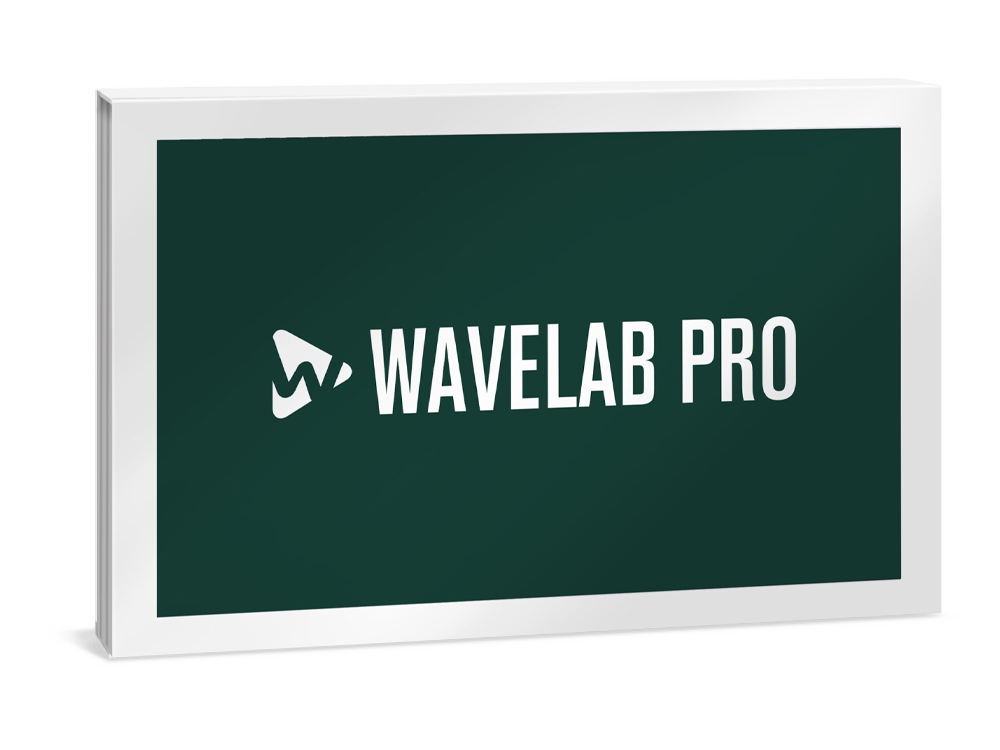
Steinberg WaveLab Pro 13
Digital Download

 More info
Calculate Shipping
Digital Delivery - $0.00
Activation codes will be sent via email before close of business on the following business day, Monday through Friday.
***All activation codes will be sent via email within 8 hours, 7 days a week. Unfortunately incorrectly ordered software licenses cannot be refunded or returned***
WaveLab – Professional Audio Mastering and Editing Suite
WaveLab is a premium audio mastering and editing software trusted by professionals worldwide. Known as “the Swiss army knife of audio processing,” it is a complete platform suited to any kind of creative audio work. Its comprehensive set of editing tools includes a wide range of real-time plug-in effects, offline processors and a full spectral editor, while VST 3 plug-ins from any manufacturer as well as external audio editors and hardware devices can be added to the workflow. With different workspaces, such as the Audio Editor for refining single audio files, the Audio Montage for working with multiple clips and tracks, a powerful batch processor, and a complete Dolby Atmos mastering environment, WaveLab is an essential solution for any project where creative, high-quality sound is the priority.
A world of WaveLab applications
WaveLab is widely known in the audio industry as a professional mastering application, but it is so much more. WaveLab’s powerful features can be used for many other audio-related tasks. Read on to discover the many applications where WaveLab excels...
The Mastering Standard
WaveLab is the ultimate solution for professional audio mastering, its modern user interface and intuitive workflows making it fast and simple to achieve great results. It features dedicated workspaces — such as the Audio Editor for sample-level editing and refinement of single audio files and the Audio Montage for finalizing full albums — and offers a complete Dolby Atmos mastering workflow, where a single ADM can be mastered or an entire Atmos album compiled from multiple ADM files. It includes a wide range of real-time plug-in effects and processes, which can be implemented per clip, per track or across a whole album. Support for third-party VST 3 plug-ins and round trip signal routing also means that favorite effects and hardware devices are easy to include at any step in the mastering chain. With precise metering tools and audio analysis functions, including loudness control, along with metadata editing and management, masters produced with WaveLab satisfy the requirements for any format or distribution platform.
Audio Editing
WaveLab offers a wide variety of surgical sound shaping functions, using either destructive or non-destructive editing, allowing the most appropriate choice for any project. Precision tools include level, time and pitch processing, high-resolution spectral editing, audio inpainting, mid/side processing (left, right or both channels), and much more, all assisted by a range of visualization options. With a large selection of included plug-ins, third-party VST plug-ins, and even external editing software and hardware effects devices can be integrated into the WaveLab workflow. Meanwhile, ARA support means all of WaveLab’s advanced editing tools can be used within projects in any compatible DAW.
Audio Analysis
WaveLab features the most advanced audio analysis tools available. The SuperVision plug-in is a fully customizable multi-display analyzer which works alongside WaveLab’s comprehensive range of meters — including peak level, loudness errors, phase, spectrogram, wavelet display, and more — to ensure there is always an accurate view of the sound you are working with. But WaveLab goes much further, with deep analysis tools to “see into” sounds. These are of vital help in allowing you to forensically analyze, process and extract important information from audio recordings.
Audio Restoration
WaveLab’s high-end audio restoration tools are renowned for their ability to improve old and imperfect recordings. It includes the RestoRig restoration plug-in suite for removing a wide array of unwanted noise and artefacts, while spectral editing allows very specific parts of the audio spectrum to be targeted. A huge array of plug-ins come as standard, with the ability to host third-party plug-ins. It is also possible to incorporate external audio editors like SpectraLayers for specific editing tasks, while external hardware effects devices can also be integrated — all helping to make improving audio quality fast and intuitive.
Batch Processing
WaveLab has an entire workspace dedicated to advanced batch processing, which can be a huge time-saver. With a vast array of plug-in effects and high-quality processors, different plug-in collections can be created and files rendered in different formats with a single command. Create desktop watch folders with predefined processes, formats, plug-ins, and other kinds of audio file handling; then drag multiple files into the folder for automated processing. This is the best way to create professional sound libraries, knowing that all files will have the same characteristics such as level, format, pitch, length, and more.
Metadata editing
Comprehensive, flexible metadata editing capabilities are a feature of WaveLab, which can be implemented regardless of use case, source material or outcome. As well as the full range of metadata codes — including ID3 v1 (for MP3 files) and v2, which conform with iTunes standards — lyrics and pictures can be added to the metadata of each file. WaveLab comes with metadata presets that can be edited and used to create user presets. These can then be saved and applied to audio files, using batch processing to save time.
Recording and Podcasting
WaveLab supports both stereo and multitrack recording, making it the ideal tool for a wide range of recording situations. Any location sound, including interviews, can be recorded and prepared for broadcast or online publishing within the application, WaveLab also includes a dedicated podcast workspace for recording, organizing episodes and preparation for publishing. All the powerful, intuitive podcasting features from WaveLab Cast are included in WaveLab Pro. These include simple device setup, one-knob sound enhancement and refinement, episode management, and direct upload to podcast distribution services such as Spreaker, Podbean, and Soundcloud.
Sound Design and Sampling
WaveLab is a fantastic tool for sound designers, not only because of its industry-leading audio analysis, editing, and restoration functions, but because its advanced processing tools are perfect for capturing samples and creating loops, ensuring audio files are in peak condition before importing them into a sampler or soft synth. Sounds can either be recorded manually or automatically by enabling WaveLab’s sound/silence detection parameters. It can also automatically create individual files by splitting recordings into multi-samples. With many parameters for splitting, editing, naming, looping, and more, samples can be created quickly, easily, and without getting in the way of creativity.
NEW IN WAVELAB 13
Your Complete Solution for Stereo and Dolby Atmos Mastering
WaveLab 13 introduces Dolby Atmos mastering, with intuitive tools for ADM file editing, loudness control, and album assembly. New plug-ins like MasterRig 2 and Vocal Chain expand creative possibilities, while multicore rendering and streamlined editing features ensure faster, more efficient production for immersive and stereo projects alike.
Mastering for Dolby Atmos
Dolby Atmos Master Montage
The Master montage makes mastering a single ADM file flexible and efficient. At its core is the innovative Immersive Plug-in Hub, which enables standard VST 3 plug-ins to be inserted across up to 128 audio channels through a single interface. It also allows bed plug-ins like Surround Reverb to be inserted, along with clip and track plug-ins for detailed sound shaping. Full creative control is maximized by customizable sidechain routing and efficient mixdown of all channels. Sample level editing can be performed with WaveLab’s internal tools, while loudness and TruePeak normalization ensure consistent, professional results. A stereo reference track also enables accurate A/B comparison and length alignment of the ADM file with a stereo master. Learn more
Dolby Atmos Album Montage
The Album montage allows multiple ADM files to be assembled into a single, cohesive album master. They can be sequenced much like a stereo montage, arranged on one or multiple tracks. Clips can be visualized in multiple formats, from stereo through to 9.1.6, with the option to update the display automatically to match the Dolby Atmos Renderer. Loudness and TruePeak normalization ensure accurate levels across multiple ADM files, with options to preserve or adjust differences between them and stereo masters. Stereo reference clips allow easy A/B comparison with the Atmos stream. Compatible ADM files can also be combined into a new file with crossfade support — ideal for live recordings or audiobooks — while multiple ADM files of any type can be merged into one. Learn more
Workflow and Productivity
Multicore Rendering
Full multicore support for Audio Montage elements means WaveLab 13 delivers dramatically faster workflows and unparalleled efficiency for complex projects. Multiple tasks can be processed simultaneously, significantly reducing rendering times. For example, rendering ten titles now takes only 10% of the previously required time, saving hours and allowing more focus on creativity and production quality.
Tab Synchronized Playback
Full A/B comparison of audio files and clips is now possible through WaveLab’s powerful multi-tab interface, ensuring a smooth and intuitive workflow. When this option is active, switching to another tab seamlessly continues playback from the same audio position as the previous tab. This is particularly useful for comparing related files, such as different versions of the same project, with precise ease.
Sidechain Support
Track plug-ins with sidechain capabilities can now have clip audio signals routed directly to them. The signal level from each clip can be adjusted, giving precise control over dynamics and creative effects. Workflows for techniques like ducking and rhythmic processing are simplified, opening up new possibilities for detailed, expressive sound design.
Color Rules
The visual organization of projects is improved by allowing the colors of clips and tracks to be managed automatically, based on custom rules. These rules can reference clip or track names, applied effects, or even clip position, creating a clear and structured view of complex sessions. This feature helps users to navigate projects faster and maintain creative focus.
Enhanced Envelope Functions
Envelope editing now offers new options for greater precision and efficiency. Clone editing applies changes across all selected clips, while grouped fade editing streamlines adjustments for clip siblings. Fine control mode further enhances accuracy by damping mouse movements, allowing detailed edits without slowing down the workflow.
Next-level new plug-ins
MasterRig 2
The next-generation mastering plug-in suite has undergone a major update, introducing a sleek modern design, fully scalable user interface, and sidechain support. It includes new and enhanced modules for EQ, compression, limiting, and stereo imaging.
VocalChain
A state-of-the-art multi-effect tailored for vocal and speech processing, VocalChain integrates essential tools like EQ, compression, and reverb in a streamlined interface. It delivers polished, studio-quality results while simplifying complex vocal production tasks.
Underwater
Adding a distinctive tonal effect for creative sound design, Underwater simulates the acoustic characteristics of submerged environments. Perfect for film, games, or experimental music, it delivers authentic textures with adjustable depth and resonance.
UltraShaper
UltraShaper is a dynamic processor which merges advanced compression with powerful transient shaping. Ideal for adding punch or smoothing dynamics, it provides detailed control for sound character shaping at both the mixing and mastering stages.
PitchShifter
Harness the power of enhanced real-time pitch manipulation for both creative and corrective purposes. Whether adjusting vocal intonation or creating experimental effects, the PitchShifter delivers transparent processing with minimal artifacts for natural results or bold transformations.
MixerDelay
Designed for surround and immersive formats, the MixerDelay aligns speaker channels by individually adjusting delay times. Essential for Dolby Atmos workflows, it ensures accurate spatial imaging and phase coherence throughout complex setups.
Bass Manager
By managing bass routing and crossover points in multi-channel monitoring environments, this tool optimizes low-frequency distribution, enhancing clarity and consistency in immersive mixes. It’s indispensable for Dolby Atmos production.
Audio Montage Improvements
Load Plug-in Chain on Multiple Clips
Apply an entire plug-in chain to all selected clips in one step, saving time and ensuring consistent processing across a project.
Automatically Add Audio Reference Clips
Files related to a reference track can be automatically added when inserting multiple audio files in an audio montage.
Synchronize Clips on Reference Tracks
Reference clips will now stay aligned to their related main clips, maintaining timing and consistency during album assembly.
Customizable Clip and Track Color Palette
The color palette can be customized by choosing the number of hues and brightness levels, creating a personalized editing environment.
Range Selection: Cover All Tracks Option
A new selection range which spans all tracks makes multi-track editing faster and more efficient.
Apply Random Colors to All Tracks
Random colors can be assigned to all tracks with a single command, adding visual variety to the montage.
New Clip Selection Visualization
Color contrast and clarity for selected clips is improved, making editing more intuitive and precise.
Easier Active Track Identification
A clear visual indicator highlights the active track and optionally selected tracks for improved navigation.
Dynamic Clip Toolbar
It is now possible to access clip-related menus instantly, reducing clicks, and accelerating editing workflows.
Quick Clip Gain Adjustment
Clip gain can be easily adjusted pre- or post-effects using pop-up sliders, accelerating the workflow.
Audio Files Insertion Dialog
When inserting multiple audio files, the gap between clips can now be specified for precise arrangement.
Track Search Function
Track Search FunctionAn incremental search feature makes locating tracks in large montages fast and convenient.
Clip Ribbon Tab
A dedicated tab that organizes all clip-related functions, for quick access, improved clarity, and more efficient working.
Reset All Colors
All manually assigned colors can be removed at once, instantly restoring the default track and clip appearance.
Reset All Gains
Clip, track, and output gains (pre- and post-processing) can be reset in one step for a clean starting point.
Edit Protection
Accidental edits when working with minimal track heights can now be prevented.
New Render Source Options
Two new rendering options have been added: All Title Stems renders every stem arranged across tracks or lanes — such as bass, synth, and drums — as separate audio files. All Title Groups renders sides A and B of a vinyl recording in one step.
More New Features
Plug-in Scaling
All stock plug-ins now support user-defined interface scaling, with adjustments such as +25% or +50%.
Plug-in removal
Plug-ins can be quickly removed from a slot by dragging them outside it, no additional commands required.
Range Selection via Marker Ruler
Time ranges can be directly selected from the marker ruler in both the Audio Editor and Montage.
Audio Processing Load Bar
The load bar now displays a percentage value, providing clearer insight into processing activity.
Open or Paste Files from Text-Based File Paths
Full file paths can be copied from any text source, opening or pasting the corresponding files into a WaveLab montage, audio file, or batch processor using standard commands.
Reporting in Audio File Comparer
Residual peak levels between two signals are now reported when minor differences exist, improving accuracy and usability in null tests.
Improved Outlines on HDPI Screens
Waveform outlines have been refined for better clarity and precision on high-resolution displays.
SPECIFICATIONS
General
Maximum supported sample rate: 384 kHz
Maximum number of audio tracks: >1000
Internal processing: 64-bit floating point
Real-time VST 3 effect plug-ins: 58
Offline processors: 25
Master Section slots: 16
Final Effects/Dithering slots: 2
Playback Processing slots: 5
Maximum number of clip effects per clip: 16
Multichannel interleaved audio file editing: up to 22.2
Docking system: Full
Startup dialog: Full
High DPI support: Full
Apple Touch Bar support: Full
Audio file browser: Full
Single-window user interface: Full
Metadata support: Full
Video playback support: Full
Audio Montage environment: Full
Audio File environment: Full
Recording options: Full
Marker toolset: Full
Editing toolset: Full
Transport panel: Full
CD burning engine: Full
Project Manager: Full
DDP support: Full
Unlimited audio file size: Full
External effects support: Full
Reference track with automatic loudness compensation: Full
External editor support: Full
Startup Assistant with web display panel: Yes
Visualization of Keyboard and Mouse Input: Yes
Audio Analysis
SuperVision: Yes
3D Spectrum Analysis: Full
Spectrogram view: Full
Spectroscope: Full
Oscilloscope: Full
Level meter: Full
Global audio analysis: Full
Audio analysis and error correction tools: Full
Rainbow waveform: Yes
Loudness waveform overlay: Yes
Wavelet display: Full
Live Spectrogram: Full
Spectrometer: Full
Bit Meter: Full
Phasescope: Full
Wavescope: Full
EBU-compliant loudness meter: Full
Offline loudness analysis and report: Full
Encoder Checker for AAC, MP3, OGG: Full
Processing
Track ducking: Yes
Bleep Censor Generator: Full
Time-stretching and pitch correction: Full
Batch Processor incl. naming scheme: Full
Watch Folders Batch Processor: Full
EBU-compliant loudness processing: Full
Audio Inpainting technology: Full
Mid/Side monitoring, editing and processing: Full
Auto split: Full
Batch process Audio Analyzer: Full
Batch process Audio Injector: Full
Batch process Audio Mixer: Full
Batch process DC Remover: Full
Batch process Delay Next Process Activation: Full
Batch process Fade In/Fade Out: Full
Batch process Instructor: Full
Batch process Level Normalizer: Full
Batch process Loudness Meta Normalizer: Full
Batch process Loudness Restorer: Full
Batch process Meta Leveler: Full
Batch process Resizer: Full
Batch process Stereo to Mono: Full
Batch process Trimmer: Full
Plug-ins
Clean pane in Track Inspector: Yes
Enhance pane in Track Inspector: Yes
AutoPan: Yes
Bass Manager: Yes
Brickwall Limiter: Yes
Channel Extractor: Yes
Chorus: Yes
Compressor: Yes
CurveEQ: Yes
DeEsser: Yes
DeReverb: Yes
DualFilter: Yes
EnvelopeShaper: Yes
Expander: Yes
Frequency EQ 2: Yes
PhaseAlign plug-in: Yes
Black Valve: Yes
VoxComp: Yes
Raiser: Yes
EQ-P1A: Yes
EQ-M5: Yes
Gate: Yes
GEQ-10/GEQ-30: Yes
Imager: Yes
Resampler: Yes
Internal Dithering: Yes
L/R to M/S, M/S to L/R: Yes
Leveler: Yes
Leveler Multi: Yes
Limiter: Yes
MasterRig plug-in suite: Full
Magneto 2: Yes
Maximizer: Yes
Mix6to2: Yes
Mix8to2: Yes
MixConvert: Yes
MixerDelay: Yes
MonoDelay: Yes
MonoToStereo: Yes
MultibandCompressor: Yes
MultibandEnvelopeShaper: Yes
MultibandExpander: Yes
Octaver: Yes
Peak Master: Yes
PingPongDelay: Yes
Pitch Shifter: Yes
PostFilter: Yes
Quadrafuzz 2: Yes
Renderer for Dolby Atmos: Yes
RestoreRig: Yes
RoomWorks: Yes
RoomWorks SE: Yes
Signal and DTMF Generator: Yes
Silence: Yes
Stereo Tools: Yes
Stereo Expander: Yes
StereoDelay: Yes
StereoEnhancer: Yes
StudioEQ: Yes
TestGenerator: Yes
Tube Compressor: Yes
UltraShaper: Yes
Underwater: Yes
Distortion: Yes
VSTDynamics: Yes
REVelation: Yes
Ambidecoder: Yes
Squasher: Yes
StudioChorus: Yes
VintageCompressor: Yes
VocalChain: Yes
Podcasting
Podcast environment: Full
Replacing audio in video: Yes
SoundCloud: Yes
Spreaker: Yes
Podbean: Yes
Buzzsprout: Yes
Castos: Yes
Chapter Generator for YouTube and Spotify: Yes
Restoration
Spectrogram view: Full
RestoreRig plug-in suite: Full
Audio restoration functions: Full
Spectrum Editor: Full
Wavelet display: Full
External editor support: Full
Workflow
Time grid for the Audio Editor and Audio Montage clips: Yes
Audio Montage dB Level Ruler: Yes
Audio Montage Null Test Track: Yes
Audio Montage File and Asset Management: Yes
Parameter automation with clip envelopes: Yes
Track groups: Yes
Track lanes: Yes
Multichannel support in audio montage: Yes
Sidechain support: Yes
Title Navigator: Yes
Selection ranges on multiple tracks: Yes
Level, fade and pan envelope before or after clip effects: Yes
Inserting stereo audio files into mono tracks or vice versa: Yes
Multicore processing for audio montages: Yes
Custom names for audio ports: Yes
Automatic audio input port to bus assignment: Yes
16-bit float high resolution waveform zooming: Full
Montage Inspector: Full
Performance monitor: Full
Real-time rendering: Full
File exchange with other Steinberg DAWs: Full
Single-window plug-in management: Full
Panning tools and effects section: Full
Auto Replay option: Full
Key commands and remote control support: Full
Undo/Redo History: Full
Speaker Management System: Full
Timecode display: Full
WaveLab Control: Full
Monitoring options incl. meter freeze: Full
SuperClips: Full
Clip plug-in send automation: Full
Multi-track recording: Full
Montage inline editing: Full
Live input stream recording: Full
External effects support: Full
Reference track with automatic loudness compensation: Full
External editor support: Full
Metadata support: Full
Formats & Export
AAC Encoding incl. AAC-HD, AAC-HE and more: Full
Extended support of various audio file formats: Full
Encoder Checker for AAC, MP3, OGG: Full
Multi-format rendering incl. presets chains: Full
5.1 surround rendering: Full
Multicore processing for audio montages: Yes
Rendering of multiple files incl. naming scheme: Full
Live input stream rendering: Full
Ambisonics (.amb/.ambix) import/export: up to 7th order
System Requirements
Operating systems (Windows): 64-bit Windows 11 Version 24H2 (or higher), 64-bit Windows 10 Version 22H2 (or higher)
Operating systems (Mac): macOS Tahoe, macOS Sonoma, macOS Sequoia
Apple silicon–based Mac: Rosetta 2 App, Native App
CPU minimum (Windows): Intel® Core i5™ (8th Generation) or AMD Ryzen™ Series-3000 or Windows on Arm processor
CPU minimum (Mac): Intel® Core™ i5 (late 2018 or later) or Apple silicon
CPU cores: 4 or more
RAM minimum: 8 GB
Hard disk free space (core installation): 2 GB
Hard disk free space: 4 GB
Display resolution minimum at 100% UI scaling: 1440 x 900
Display resolution recommended: 1920 x 1080
Graphics minimum (Windows): Graphics card with native Windows 10 support (Microsoft Basic Display Driver is not recommended)
Graphics recommended (Windows): AMD R or RX series and later or NVIDIA Series 700 and later
Graphics (Mac): Graphics card with Metal support
Graphics (GPU memory): 4 GB or higher for 4k displays
OS compatible audio hardware: Yes
ASIO compatible audio hardware recommended for low-latency performance: Yes
Internet connection for: License activation, installer download, account sign up and product registration
For more information, click here to visit the manufacturers website.